
This instruction is valid for program versions starting from Movavi Video Editor 2022 and Movavi Slideshow Maker 2023 and newer.
We made some technical changes in the new version of Movavi Effects to minimize the size of the effects packs (it was over 100 GB of all packs; now it is only 11 GB). You can download all purchased effects packs directly through Movavi Video Editor 2026.
If you purchased a subscription to Movavi Effects using the same email as the Video Editor (Movavi Slideshow Maker or Video Suite) license, the subscription is activated automatically.
If you have lifetime licenses to the effects packs, please consider following the steps below:
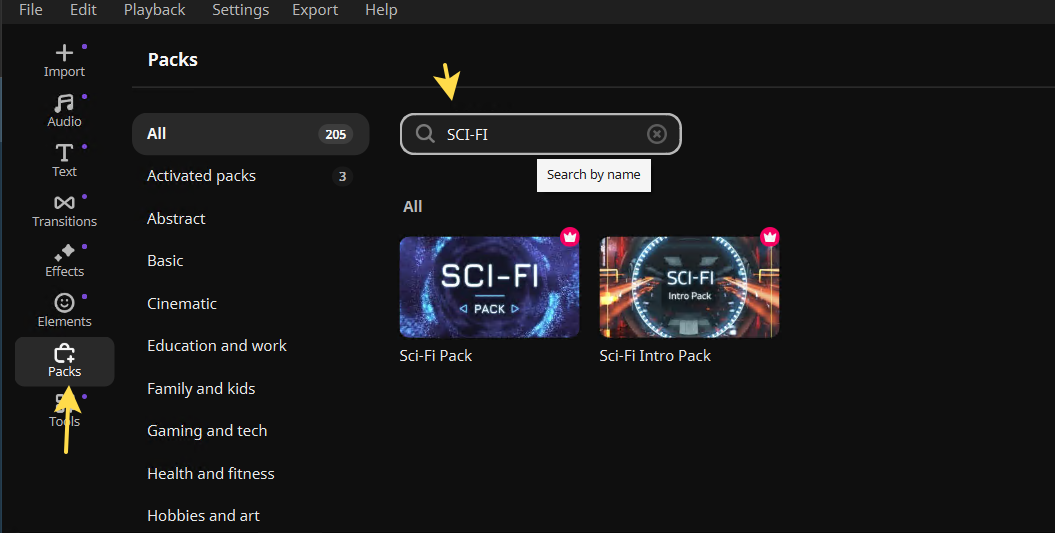
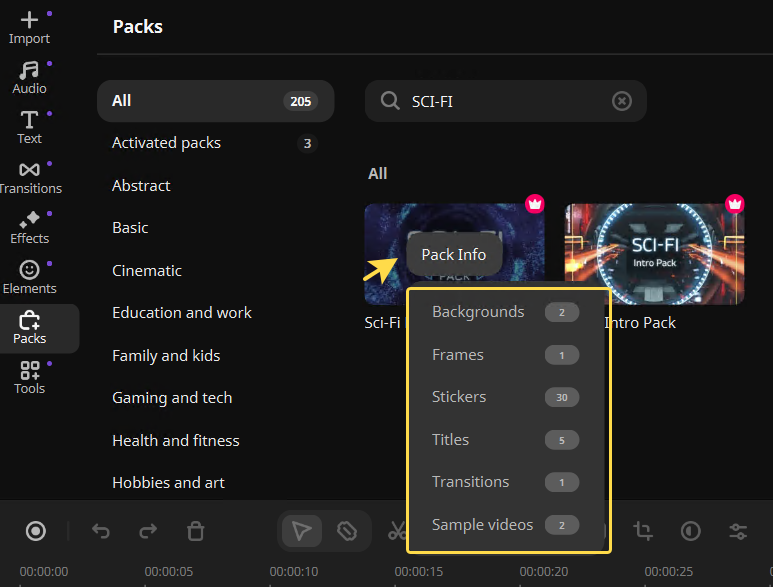
1) Open the Pack tab in Movavi Video Editor 2026, enter the pack's name, for example, SCI-FI Pack:
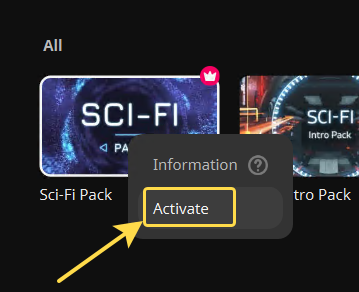
2) Next, please right-click on the pack and select "Activate.:
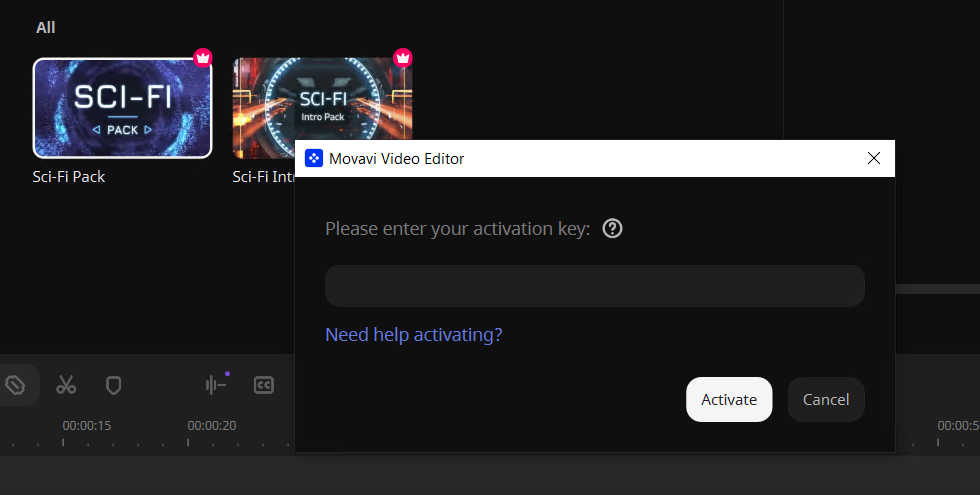
3) Enter your activation key in the window that appears and click-on "Activate":
You can activate all previously purchased packs and continue to use them.
Then, you can find and download the elements of each pack like this:
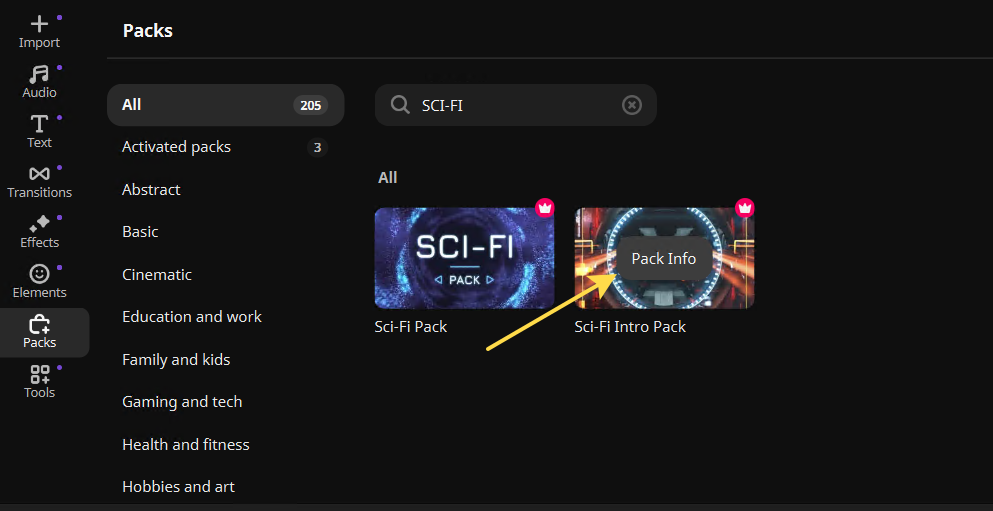
1) Find the pack you need in the Packs tab. Hover your mouse over it and click on the “Pack Info” button:
2) Select the desired category:
3) The program opens the corresponding tab. Here, you can download the required element:
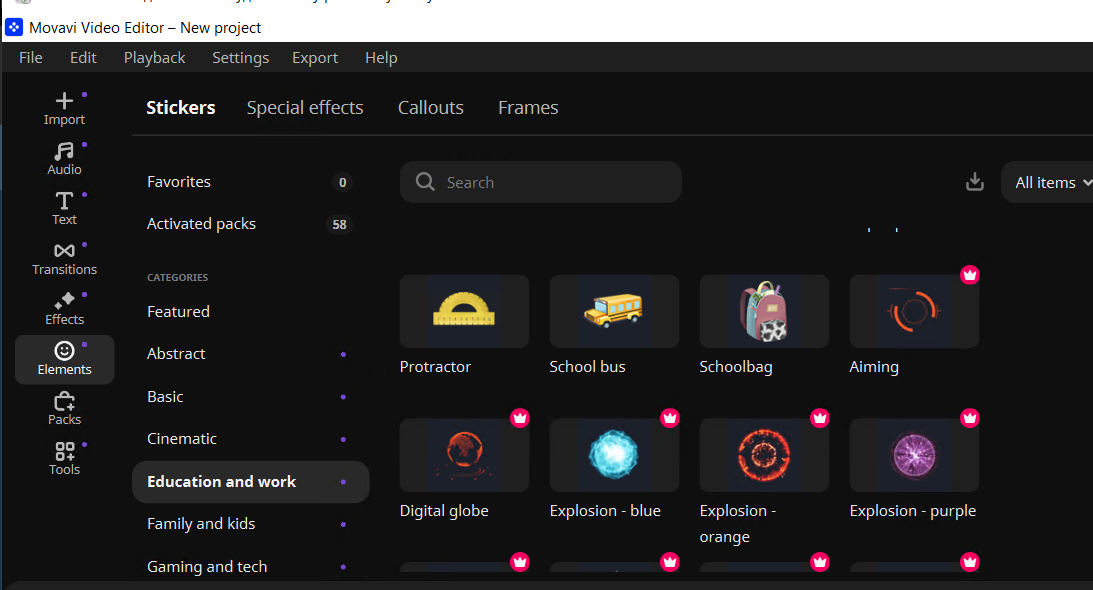
Once the element is installed, you can use it.