
If your Movavi subscription was purchased through the Apple App Store, it is managed entirely by Apple.
Movavi cannot:
access App Store subscriptions,
cancel App Store subscriptions,
issue refunds for App Store purchases.
All subscription management must be done through your Apple ID.
How to Cancel the Subscription
Open Settings on your iPhone or iPad.
Tap your Apple ID at the top.
Tap Subscriptions.
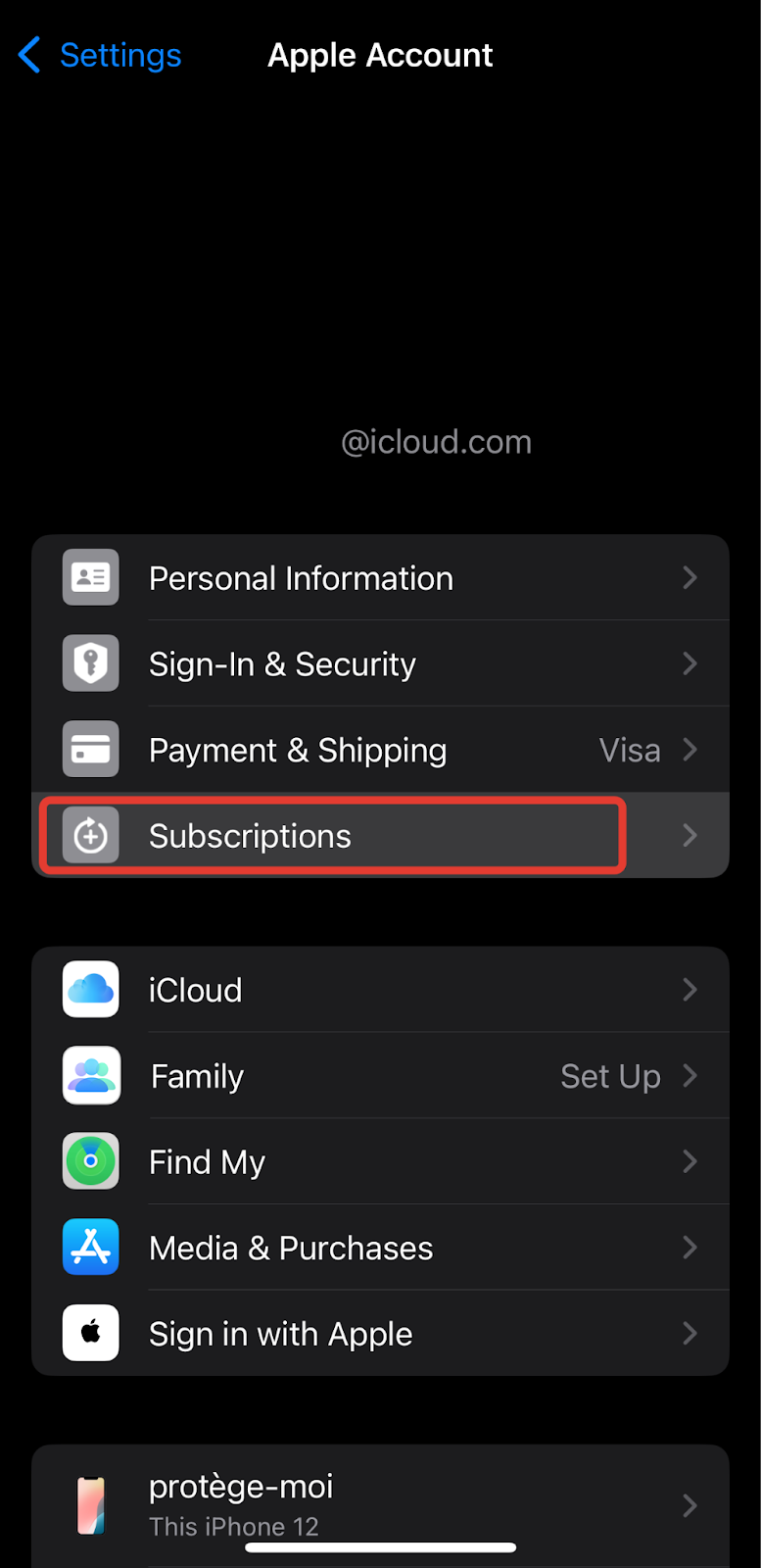
- Select the Movavi subscription.
Tap Cancel Subscription.
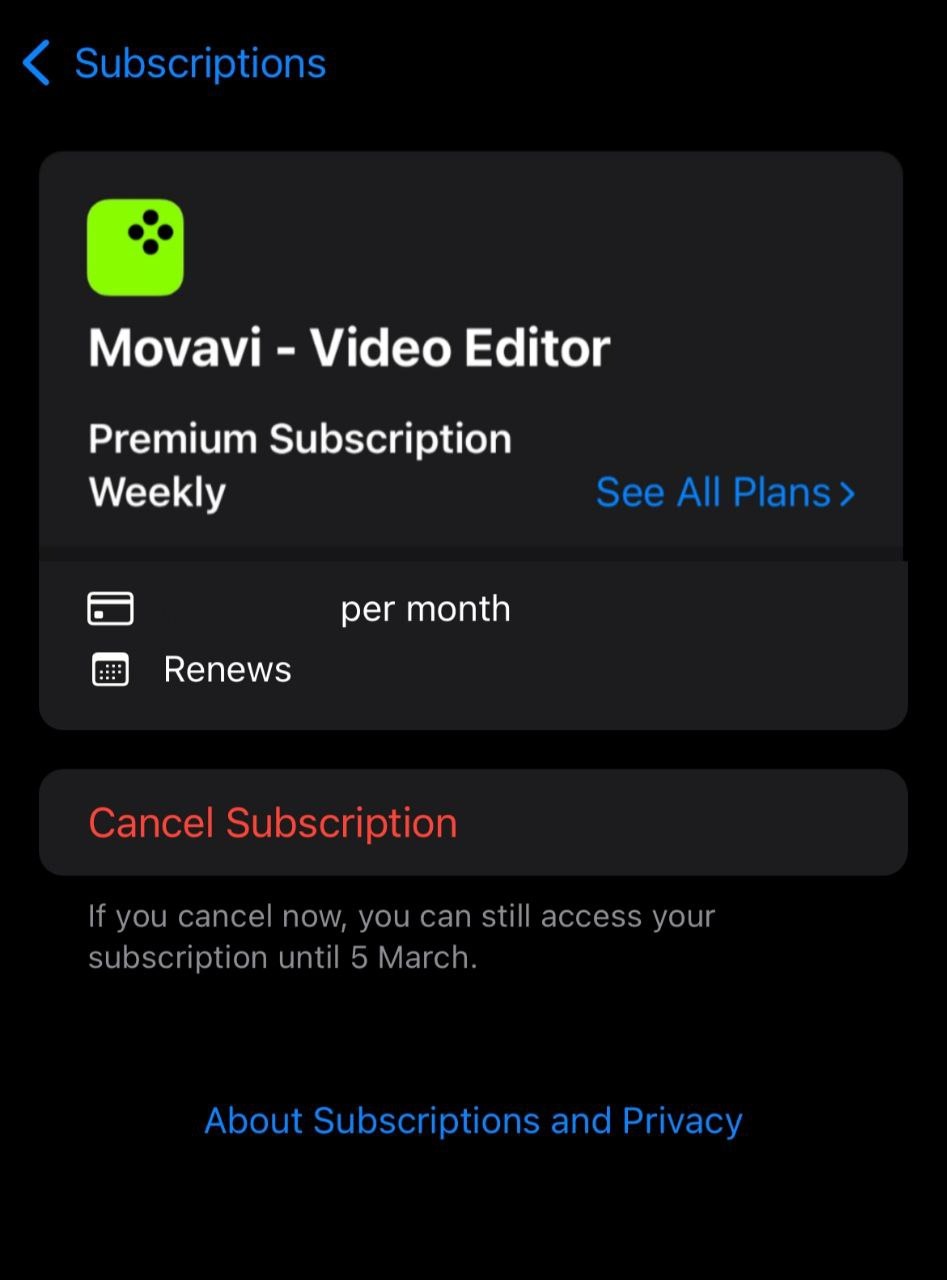
After cancellation:
future renewals are stopped,
access remains available until the end of the current billing period.
Canceling a subscription does not automatically issue a refund.
Important
Uninstalling the app does not cancel the subscription.
If the app is removed but the subscription is still active, Apple will continue charging according to the subscription terms.
Requesting a Refund
Refunds for App Store purchases are handled exclusively by Apple.
To request a refund, use Apple’s official process:
https://support.apple.com/en-us/118223
Refund decisions are made by Apple in accordance with their policies.
If You Cannot Find the Subscription
If the subscription is not visible:
check that you are signed in with the correct Apple ID,
verify that the purchase was not made from a different account.
If the purchase was made via the App Store, it may not appear at your Movavi account at movavi.id.